Image and video models
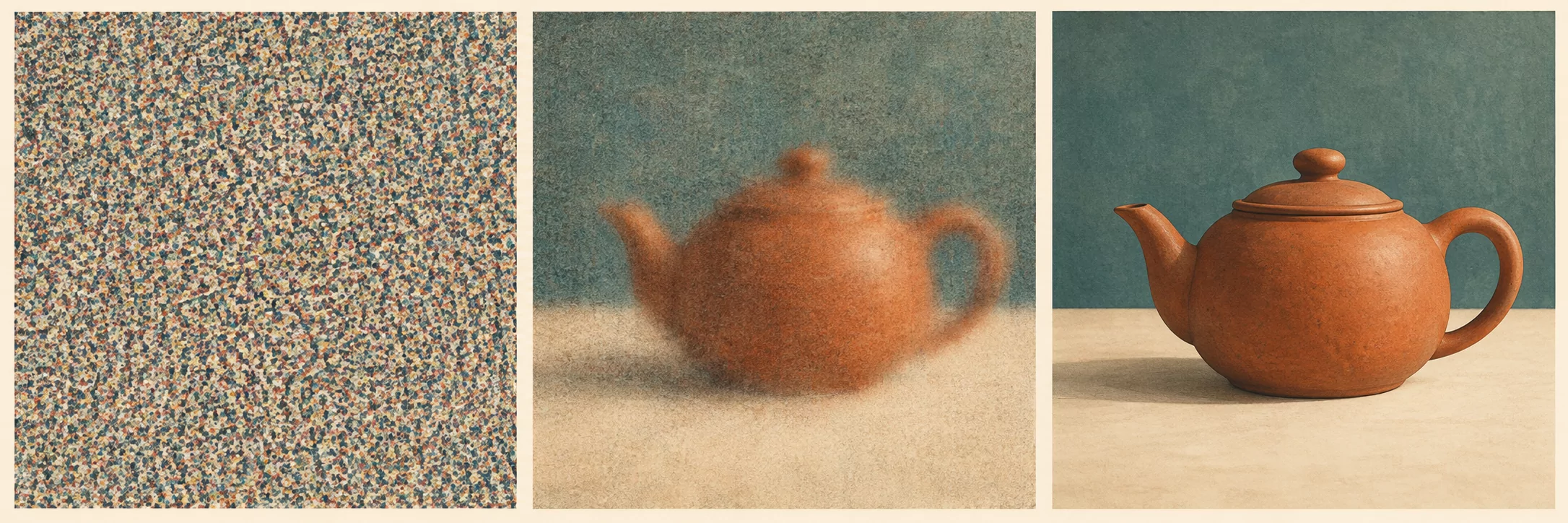
Some image and video models start with noise and gradually turn it into a picture. Bigger pictures, more frames, and more steps usually take more work.
A larger image or longer video usually takes longer to make. Start with a smaller draft, then increase the size if the extra detail is useful.
How diffusion works
A diffusion model learns to remove noise from data. A common training method adds noise to an image or video and asks the model to predict that noise. Other methods predict clean data or a direction of change. Sampling starts from random noise and applies the learned denoiser many times.
Many systems work on a smaller representation instead of the full image. A component called a VAE turns an image or video into this compressed form, called a latent, and turns the result back into pixels. Another component turns the text prompt into information the model can use.
The sampler decides how the model updates the image at each step. The step count says how many updates to make. The seed chooses the starting noise. Guidance controls how strongly the model follows the prompt.
Video adds temporal layers and more tokens. The model must keep the subject consistent across frames, and the attention cost grows with the number of frames and spatial positions. That is why video is much more expensive than a still image.
Guidance, distillation, and caching
Classifier-free guidance runs the model with and without the prompt, then pushes the result toward the prompt. A higher guidance scale strengthens that push. Too much can distort colors or details; it does not guarantee better prompt following. Negative prompts push away from listed concepts.
Distillation trains a student to reach a good result in fewer steps. A 4-step or 8-step model can cut the run time by a large factor. The trade is detail, diversity, and prompt adherence. Test the distilled model on your own prompts.
Step caching reuses features from an early block across steps. It can cut time without retraining, but it changes the result. Measure the quality loss before you enable it for a deliverable.
LoRA adapts the model to a style, a character, or a motion. A character LoRA needs consistent training images and a clear trigger word. Rank and training steps control capacity and overfitting. A LoRA does not add knowledge of a new concept unless the training data shows it.
Doubling the step count doubles evaluations in this simple sampler. Doubling both image dimensions gives four times as many pixels. Neither change guarantees better quality or a matching increase in runtime.
What resolution and frames cost
Pixel count multiplies with width and height. Frame count multiplies with duration. Full attention over video tokens can grow faster than token count. Actual runtime scaling depends on the architecture, attention pattern, and other operations. A small increase in width can produce a large increase in run time.
Reported local example. Evidence and limits
A 10-second, 20-step clip took 2,987 seconds at 1344×768. The same clip took 1,150 seconds at 864×576, including an x2 upscale pass. The higher-resolution run took about 2.6 times as long. Because the lower-resolution run also included an upscale pass, the comparison does not isolate resolution alone.
The measured gap shows why resolution is a budget decision. If the deliverable is viewed on a phone, a larger render may not show more detail. Measure the detail at the delivery size before you pay for the extra pixels.
Serving media models
Media workloads are long and bursty. A single video render can occupy the GPU for minutes. Queue management matters more than with text, because a stuck render blocks everything behind it.
Record the graph, the inputs, the model versions, and the output hash for each run. A render is hard to reproduce without the seed, the sampler, the LoRA weights, and the exact resolution. Keep those with the output.